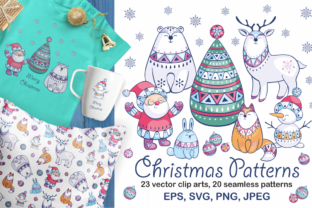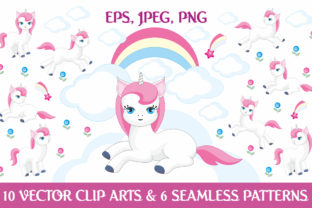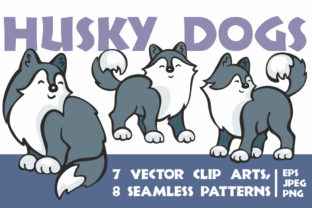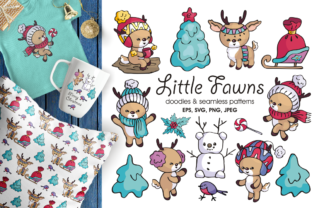
28 Hand Drawn Patterns for Creative Projects
If you’ve ever spent time searching for textures that feel warm, personal, and authentically handmade—without sacrificing quality or flexibility—you’ll appreciate what the 28 Hand Drawn Patterns bundle offers. This isn’t just another set of digital repeats. It’s a thoughtfully assembled collection of organic, imperfect, and expressive pattern designs—all drawn by hand, then carefully digitized and optimized for real-world use.
What Makes These Patterns Stand Out?
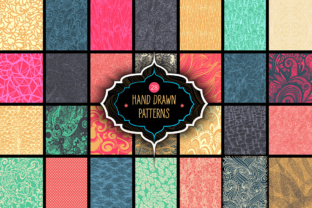
Each of the 28 patterns carries the subtle charm of pencil strokes, ink bleed, watercolor washes, or textured brushwork. You’ll find crosshatches with gentle irregularity, delicate florals with uneven petal edges, geometric motifs softened by hand-drawn lines, and abstract scribbles that add movement—not chaos. Unlike rigid, machine-perfect repeats, these patterns invite personality into your work.
The bundle includes three file types for every single pattern: vector EPS files (fully editable in Adobe Illustrator), high-resolution JPEGs (3000×4000 pixels at 300 dpi), and layered PSD files (same dimensions and resolution). That means whether you’re scaling a background for a massive banner or dropping a subtle texture into a social media graphic, you’ll have the right format—no pixelation, no loss of detail, no guesswork.
Why Designers and Creators Choose This Bundle
For beginners, it removes the steep learning curve of creating seamless patterns from scratch. You don’t need to master anchor points or tiling logic—just drag, drop, and adjust. For professionals, it saves hours: no more hunting across stock sites for something that feels both unique and usable across print and screen.
Small business owners use these patterns to quickly refresh branding—think custom gift wrap for an Etsy shop, textured backgrounds for product packaging mockups, or watermarked overlays for client presentations. Educators add them to worksheets or slide decks to make learning materials visually inviting without looking overly polished or sterile. Bloggers and marketers apply them as subtle website section dividers or newsletter headers—small touches that build cohesion and warmth.
Real-Life Uses You Can Start Today
- Print-on-demand products: Apply a botanical line pattern to a notebook cover, or layer a soft charcoal grid behind typography on a T-shirt design—both scale cleanly thanks to the included EPS files.
- Digital content: Drop a JPEG version into Canva or Figma as a background for Instagram carousels, landing page sections, or email banners. The 300 dpi resolution ensures crispness even on retina displays.
- Branding consistency: Use the PSD files in Photoshop to blend patterns with brand colors using adjustment layers—no need to re-export dozens of color variants. Each pattern already comes in multiple colorways, giving you instant variety.
- Teaching & workshops: Share the vector files with students learning about pattern construction—they can ungroup elements, recolor paths, or study how the repeat is built, making abstract concepts tangible.
Practical Benefits Beyond Aesthetics
Having 28 distinct patterns—and multiple color versions of each—means you’re not limited to one “look.” One day you might choose a muted earth-tone scribble for a wellness brand’s brochure; the next, a bold indigo-and-white herringbone for a tech startup’s pitch deck. The variety supports mood shifts, audience targeting, and seasonal updates without requiring new purchases.
Because all files are delivered at production-ready specs, there’s no last-minute panic about resolution or compatibility. Print shops accept the EPS files without question. Web developers can convert the JPEGs or PSDs into optimized webP or SVG formats easily. Even if you only use free tools like Photopea or Inkscape, the EPS and PSD files remain accessible and editable.
Things to Keep in Mind Before You Begin
While the 28 Hand Drawn Patterns bundle is beginner-friendly, it helps to know a few practical details upfront. First: vector files (EPS) give you infinite scalability and full editability—but require vector software like Illustrator or Affinity Designer. If you mostly use Canva or PowerPoint, lean on the JPEG or PSD files instead.
Second: the patterns are designed as seamless repeats, but some may include intentional “breaks” or directional flow (like hand-drawn arrows or staggered vines). That’s part of their character—but worth checking before applying them to circular labels or curved surfaces where directionality matters.
Third: while the JPEG and PSD files come in generous dimensions (3000×4000 px), they’re still raster-based. That means you shouldn’t stretch them far beyond their native size in pixel-based editors—stick to scaling down, not up, unless you’re using the vector versions.
Who Gets the Most Value From This Collection?
Freelancers building portfolios love having a go-to resource that adds visual distinction without slowing them down. Hobbyists crafting greeting cards or DIY wall art enjoy the tactile feel without needing advanced tools. Entrepreneurs launching a new product line use the patterns to prototype packaging, tags, and web visuals—all in one cohesive style.
Even if you're just starting out with design—or rely on templates and drag-and-drop builders—this bundle works with your current workflow. You’re not buying complexity. You’re buying confidence: confidence that your projects will look intentional, human, and polished—even when you’re short on time or experience.
A Thoughtful Tool, Not Just Another Download
What sets the 28 Hand Drawn Patterns apart isn’t just quantity or file variety—it’s intention. Every pattern was drawn, scanned, cleaned, tested, and refined with real applications in mind. No filler. No generic repeats. Just 28 distinct, usable, expressive foundations you can adapt, combine, and make your own.
Whether you're designing a wedding invitation suite, updating your Shopify store’s theme, preparing a classroom handout, or experimenting with surface pattern design for the first time—these patterns meet you where you are. They don’t ask you to become an expert first. They simply give you room to create, confidently and clearly.