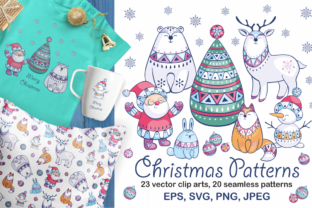
Christmas Patterns and Clip Arts: Smart Choices for Real Projects
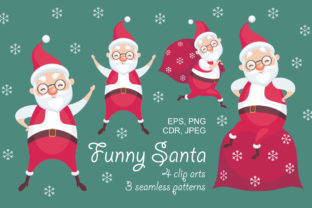
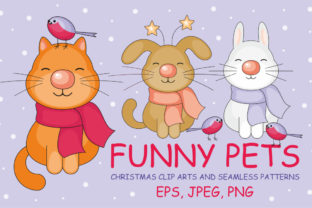
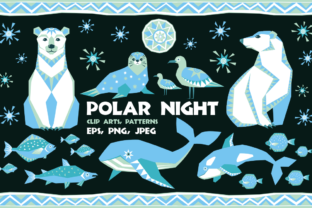
Whether you're designing holiday greeting cards for your small business, printing festive mugs for a seasonal pop-up shop, or creating digital art prints for an online store, Christmas Patterns and Clip Arts can save time and elevate quality—if used thoughtfully. This package delivers 12 vibrant colored vector clip arts, 11 outline-only versions (no fill), and 20 seamless patterns—all optimized for real-world use. With high-resolution JPEG and PNG files at 300dpi (including 5000×5000 pixel pattern tiles), plus fully editable EPS and SVG vector formats, it’s built for flexibility across print, web, and product design.
Why Beginners Often Overlook File Type Compatibility
A common misstep is assuming “vector” means “works everywhere.” Not quite. While the EPS and SVG files are ideal for scaling in Adobe Illustrator or Affinity Designer, many users download them without checking software support—especially if they rely on free or mobile apps like Canva or Procreate. Those platforms handle SVG well but often struggle with older EPS versions or embedded fonts. The result? A clipped, distorted, or uneditable graphic that delays deadlines and frustrates revisions.
Here’s what to do instead: Before downloading or purchasing, confirm which file types your primary design tool supports. If you’re using Canva, prioritize the SVG and transparent PNGs. If you’re prepping for professional screen printing or embroidery digitizing, lean on the EPS files—but open one first in your vector editor to verify layers and paths render cleanly. Don’t wait until production day to discover a snowflake icon won’t ungroup properly.
The Seamless Pattern Trap: Size ≠ Scalability
“Seamless” doesn’t automatically mean “ready for any surface.” Some designers assume the 5000×5000 pixel JPEG patterns will tile flawlessly on a 36-inch-wide fabric roll—or fit perfectly on a 4×6 inch gift tag without visible repetition. In reality, tile size, repeat logic, and visual density all affect how natural a pattern looks at different scales.
For example, a tightly packed holly-and-berries motif may appear busy and cluttered when enlarged for a wall mural, while the same pattern could vanish into invisibility when shrunk for a button badge. Worse, some packages claim “seamless” but skip proper offset testing—leaving subtle seams visible under close inspection or on glossy print finishes.
Check this before committing: Open one pattern file in Photoshop or GIMP, then use the Filter > Other > Offset tool (with wrap-around enabled) to shift it by half its width and height. Look carefully along the new edges—if lines, colors, or contrast jump or blur, the seam isn’t truly seamless. Our Christmas Patterns and Clip Arts set includes 20 rigorously tested EPS and JPEG patterns, each verified with multiple offset passes and real-print samples.
Transparency Isn’t Always Transparent—Especially in Print
Those 23 PNG files with transparent backgrounds are excellent for digital overlays, social media graphics, or layered web designs. But transparency becomes a liability in physical production. Screen printers, mug decorators, and foil-stamping vendors often require solid white or spot-color backgrounds—and may charge extra to manually remove transparency or convert RGB to CMYK with accurate color matching.
A better approach: Use the outline-only vector clip arts (the 11 unfilled versions) as line-art templates. Import them into your layout, then apply brand-consistent Pantone colors or CMYK swatches *before* sending to print. That gives you full control over ink coverage, registration, and consistency—no surprises in color shift or edge halos.
Don’t Confuse Resolution With Readiness
“300dpi” sounds reassuring—until you try to scale a 500×500 pixel PNG to cover a 24×36 inch poster. Resolution only matters when matched to output size and medium. A 300dpi JPEG at 5000×5000 pixels works beautifully for large-format printing, but even that won’t help if the original vector artwork was drawn with low-fidelity curves or inconsistent stroke weights.
What to inspect: Zoom into a vector clip art file at 400%. Look for smooth Bezier handles, uniform corner radii on ornaments, and clean joins where branches meet trunks. Jagged nodes or overlapping anchor points won’t fix themselves—even in EPS format. Our collection uses precision-drawn vectors with optimized path counts, so resizing from business card to banner stays crisp, not crunchy.
Usage Rights Matter More Than You Think
Many creators assume “commercial use” means “unlimited use”—but licensing fine print can restrict applications like resale items (e.g., selling printed tea towels), SaaS integrations (e.g., embedding in a client’s e-commerce theme), or NFT derivatives. Some free or low-cost bundles prohibit merchandising entirely, while others require attribution on every public-facing use—a nonstarter for branded campaigns.
This Christmas Patterns and Clip Arts package grants broad commercial rights—including use on physical products, digital downloads, and marketing assets—with no attribution required. Still, always review the license summary before launching a campaign. If you’re a freelancer delivering files to clients, clarify whether they inherit usage rights or need their own license.
Start Small, Then Scale Intentionally
It’s tempting to load every pattern and clip art into one design—but visual fatigue sets in fast. A background of dense plaid + border frame + central wreath + scattered snowflakes + script typography rarely communicates “festive.” It communicates “overloaded.”
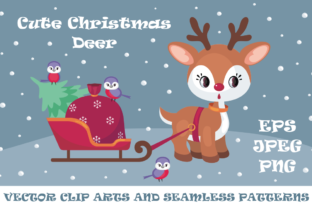
Try this instead: Pick one hero element (e.g., the reindeer silhouette clip art), choose one supporting pattern (e.g., the minimalist pinecone repeat), and limit color accents to three tones max—including white space. Test print a 4×6 inch sample before committing to 100 greeting cards. Your audience notices clarity faster than complexity.
Whether you're a teacher prepping classroom decorations, a blogger illustrating a holiday newsletter, or an entrepreneur launching seasonal merchandise, thoughtful use of Christmas Patterns and Clip Arts leads to stronger visuals, fewer reworks, and more confident creative decisions—without needing advanced technical skills.